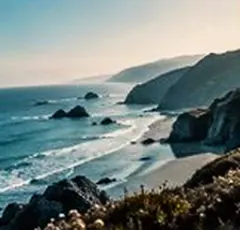
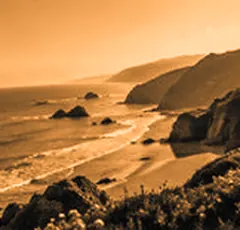
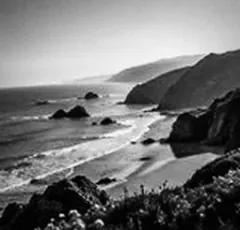
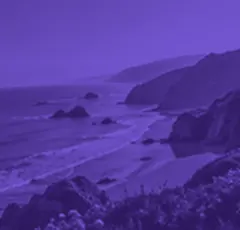
Your camera, filtered live in this tab: pick a look on the strip, take a full-size photo with Space or the round button, or shoot a four-photo photobooth strip. The camera picture never leaves your device.
Tip Good light from the front makes every filter look better; a window beside the screen works well.
A look: your photo, a different colour
This is the lab with a camera in front of it. The live view runs the same filters the editor uses, on a small copy of each frame; the strip under it shows twelve of them — colour looks like Punch, Studio 400 and 90s Disposable, and quick effects like Sepia, Duotone, Sketch, Halftone and Pixelate — drawn from your own camera picture.
The shutter takes the photo at your camera’s full resolution and renders the chosen filter on it with every size scaled to match, so the photo you download is the frame you saw. Mirror flips both the live view and the photo.
The controls
- Start camera
- Asks the browser for the camera. Nothing starts until you tap it.
- Filter strip
- Twelve filters, each drawn from your live camera picture. Tap one to use it.
- Shutter
- The round button, or Space or Enter: one full-size photo with the filter.
- Photobooth
- Four photos on a 3-2-1 countdown, as a 1×4 strip or a 2×2 grid, saved as one JPG.
- Mirror
- On by default for selfies. Flips the live view and the saved photo alike.
- Fine-tune in the editor
- Opens the unfiltered photo in the full editor with your filter chosen.
Where it falls short
- Effects that take longer than a tenth of a second per frame show the plain camera with “Preview on capture” and are applied when the photo is taken.
- There is no video recording or video export — photos and photobooth strips only.
- Phone browsers may pick the front camera; switching cameras is up to the browser.
- The camera works only on a secure page and only after you allow it; a blocked camera can be re-allowed from the address bar.
The strip, the preview and the saved file run the same code on the same settings, with every size a fraction of the picture, so the file you download is the frame you approved.
Nothing is uploaded
There's no upload step on this page — your picture is decoded in the tab, drawn to a canvas, and gone the moment you close it. The filter runs in this tab, on your device, and the file is written here too.
Questions
Is the camera video sent anywhere?
No. The camera picture goes from your camera to this tab and is filtered here, on your device. Nothing is recorded, nothing is uploaded, and the camera stops when you leave the tab or tap Stop camera.
Why does it ask for permission?
Browsers never let a page use the camera without asking. The camera starts only after you tap Start camera and allow it; if you say no, you can still open a photo instead.
How does the photobooth work?
Tap Photobooth: four shots. A 3-2-1 countdown runs before each of four photos, all with the filter you chose, and they are laid out as a 1×4 strip or a 2×2 grid on white, saved as one JPG.
Why does a filter say “Preview on capture”?
Some effects, like the sketch, take longer than a tenth of a second per frame on some devices. Rather than a stuttering preview, the live view shows the camera plainly and the effect is applied when you take the photo.
Can I adjust the photo after taking it?
Yes. After a shot, Fine-tune in the editor opens the unfiltered photo in the full editor with your filter already chosen, so you can change the strength, tone, texture and size before saving.
Is the saved photo the same size as my camera?
A single shot is saved at the camera's full resolution. Photobooth shots are scaled to 900 pixels on the long edge each, so the strip stays a sensible size to share.
Related on this site
- Photo filtersThe 41 colour looks by family, previewed live on your photo, each one opening the lab already set.
- Vintage photo filter70s, 80s, 90s, instant and old-print looks with fade, cast and grain.
- Photo effectsEvery rebuild — sketch, cartoon, dots, pixels, characters — on one strip.
- Photo filters for InstagramLooks on your photo, saved at 1080 × 1080, 1080 × 1350 or 1080 × 1920.
Rendered on your computer, not on a server.