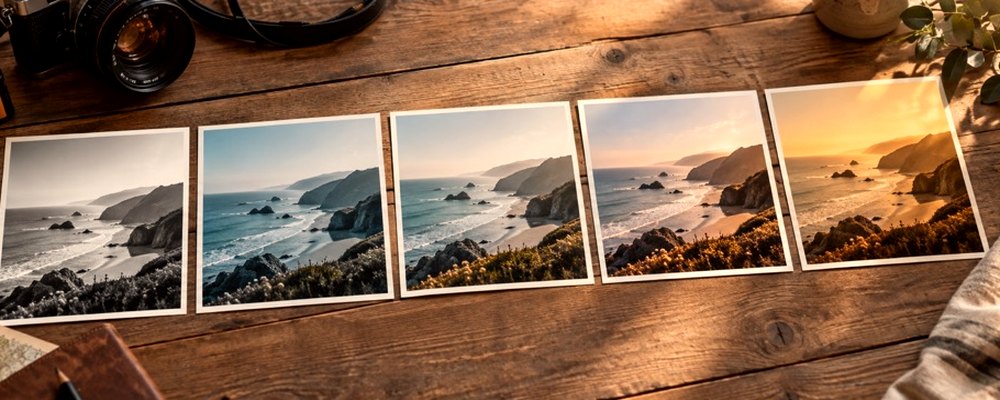


Filter a picture
Photographic visual for Can A Filter Be Removed
Can A Filter Be Removed

Can a filter be removed from a photo?

Sometimes, completely; usually, only in part. The answer depends on one thing — whether you still have the photograph from before the filter — and no tool can change that answer.

The short answer

A filter is a rule for changing every pixel. If you still have the pixels from before the rule was applied, the filter can be removed by simply not applying it. If you only have the pixels from after, the filter cannot be removed — only approximated — because many different originals would have produced the same result.

That is why the lab here never touches the file you open. Every look is applied to a copy, and the copy is the only thing you download. The original stays on your device exactly as it was.

A filter applied here: undo it completely

Strength 0 is the photograph

Drag sideways across the photo to the far left, or type 0 in Strength. At 0 the lab hands back the photograph’s own bytes, exactly — this is checked by the site’s kernel tests on every build. Reset filter does the same while keeping your tone and texture changes; Reset tone undoes those.

Re-export from the original

If you saved a filtered file and later want it without the filter, open the original again. If you saved the recipe, or copied its settings string, you can re-apply exactly the same look at a different strength.

A filter baked into someone else's photo: approximate it

Most filters do a few things: shift white balance (warmer or cooler), lift or crush the blacks, change contrast, push saturation up or down, and tint the shadows and highlights. Each of those can be pushed back part of the way with the lab’s tone controls — on the Original frame, so no new look is added:

  • Too warm or too cool: Warmth the other way; Tint for a green or magenta cast.
  • Faded, milky blacks: lower the Black point on the tone curve, raise Contrast a little.
  • Over-saturated: Saturation down; Protect skin on to keep faces natural.
  • Crushed shadows: Shadows up — but detail that went to pure black is gone.

What cannot come back: anything that clipped to pure black or white, colours that were mapped together, grain or glow painted on top, and texture removed by smoothing. A look-alike is the best outcome, and it is a judgement made by eye, not a reversal.

Questions

Can I remove a filter from a photo I filtered here?
Yes, completely. Nothing here changes the file you opened; the filter is only in the copy you download. Open the original again, or press Reset filter, or set strength to 0 — at strength 0 the lab returns the photograph's own pixels exactly.
Can I remove a filter from a photo someone sent me?
Not truly. Once a filter is saved into a photo, the colours it replaced are gone; what is left can be nudged back toward natural with exposure, warmth, tint, saturation and a tone curve, but nothing can recover the exact original.
Is there an AI that removes filters?
Some tools guess what a photo looked like before a filter and paint that guess in. A guess is not a removal: it invents detail and colour, and on faces it can change what a person looks like. This site does not offer one.
Can a beauty filter be undone?
Smoothing and reshaping throw away information about skin texture and shape. Contrast and colour can be partly restored; the texture and the original shape cannot.

Back to the lab

Rendered on your computer, not on a server.