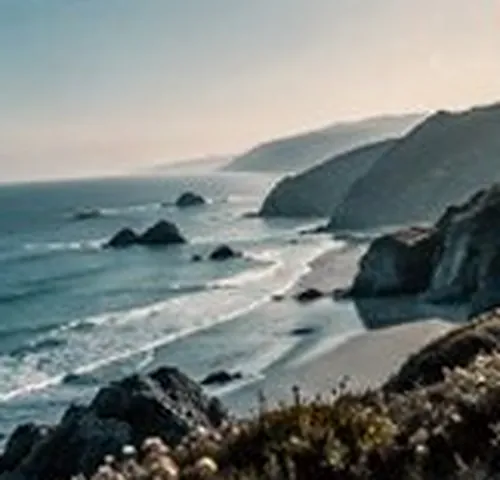
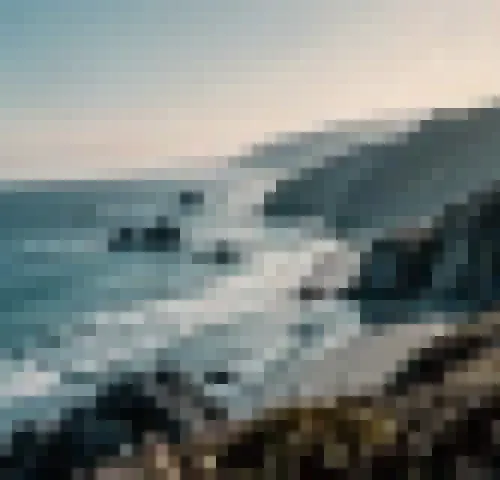
Pixelate a photograph into flat blocks. Every block is the mean of what was under it, written back flat. The boundaries are exact, nothing between two blocks is invented, and the result holds up at any size you view it.
This is a rebuild: your photo is remade as flat blocks at its own size. For a small, palette-limited picture shown crisp, image to pixel art is the better door. Nothing is uploaded.
Tip Pictures with a clear subject survive a coarse block size. Busy scenes turn to confetti.
Averaging is the whole operation
Pixelation has a reputation for being the trivial effect, and in one sense it is: lay a grid over the picture, average each square, write the average back. What makes the difference between a good result and a bad one is entirely in what happens at the edges of those squares, and the answer here is nothing at all. No smoothing, no interpolation, no resampling on the way out — the block is filled with one colour and the next block starts abruptly.
That matters because it is the difference between pixel art and a low-resolution photograph. A picture scaled down and scaled back up has soft boundaries and interpolated colours that were never deliberately selected; a picture blocked this way has a colour count you can state exactly and edges that are still edges at 400 percent zoom.
Four controls, and the order to use them in
- Block size, 2 to 128 pixels
- Measured on the preview and multiplied for the export, so the number of blocks across the picture is the same in both. This is the only control most pictures need; everything else is refinement.
- Block shape
- Square is the default and the honest one. Hexagonal packs cells on offset rows so that no boundary runs unbroken across the frame, which reads as a mosaic rather than as a grid.
- Cut the colours down too
- Chooses a small palette from the blocked picture — not from the original — and snaps every block to it. Averaging first and quantising second is what gives the result its flat, deliberate colour; the other order picks colours out of detail that no longer exists by the time they are used.
- Colours, 2 to 32
- How many entries that palette gets. Eight is where most photographs start looking drawn rather than sampled; below four, the subject usually stops being identifiable.
Choosing a block size that keeps the subject
The useful question is not how big a block should be but how many blocks the subject gets. A face needs somewhere around twelve to sixteen blocks across to stay recognisable as a face, and below about eight it becomes a shape. So the block size that works depends entirely on how much of the frame the subject occupies: a portrait at 24 pixels a block and a landscape at 24 pixels a block are two completely different experiences of the same setting.
Work from the preview rather than from the number. The square brackets step the block size one pixel at a time without touching the mouse, and holding the space bar puts the original back so you can see what has gone.
Hexagons, and why the rows are not square
A hexagonal lattice has rows spaced at roughly 0.866 of the cell width — the height of an equilateral triangle — with alternate rows offset by half a cell. Every pixel joins whichever centre it is genuinely closest to, which means testing the row above and the row below as well as its own, because a pixel near a row boundary belongs to a neighbour more often than not.
The visible consequence is that there is no continuous straight line anywhere in the result. A square grid gives the eye long uninterrupted seams to lock onto, and those seams are what make a square pixelation read as damage; break them and the same averaging reads as a decision.
Questions about the blocks
How is this different from shrinking the picture and blowing it back up?
By what happens at the boundaries. Shrinking and enlarging asks the browser to interpolate, so every block edge arrives soft and the colours between two blocks are colours that were never measured. Here each block is the mean of the pixels it covers, written back across its own area with no filtering at all — so the boundaries are exact, the colour count is exactly the block count, and the result stays crisp however far you zoom in.
What are hexagonal blocks for?
Mostly for looking less like a mistake. A square grid is so strongly associated with broadcast blurring and with low-resolution video that a square pixelation reads as damage before it reads as style. Hexagons pack on offset rows, so no two block boundaries run in a continuous line across the picture, and the eye takes the result as a deliberate mosaic instead.
Why does cutting the colours down change the character so much?
Because pixel art is as much about a restricted palette as about a restricted resolution. Blocking alone leaves you with as many colours as blocks, which is still thousands — it looks like a photograph seen through a grid. Snapping those blocks to eight or sixteen colours chosen from the picture forces neighbouring blocks to agree, which is what produces the flat, deliberate regions that read as drawn rather than as sampled.
Is a block average enough to make something unreadable?
No — treat it as a style, not as a way of removing information. Block averaging is a well-understood operation and the average of a region carries real information about what was in it; published work has recovered readable text and recognisable detail from pixelated images. If something genuinely must not be readable, cover it with a solid shape rather than an average of itself. This tool is here to make a picture look like something, and that is a different job from making it unreadable.
Where to go next
- DitherError diffusion and ordered matrices, at palettes from one bit upwards.
- ASCIIA character grid that comes out as a picture or as a text file you can paste.
- Filter picture online41 colour looks and 20 effects, chosen from your own photograph rather than from a list of names.
- Looks and rebuilds: two meanings of filterThe one test that sorts a colour look from a rebuild, applied to fifteen awkward cases.
Rendered on your computer, not on a server.